
Interactive reference, without breaking flow
PaletteQ helps painters analyse their reference images while they work – without breaking flow or switching into complex photo-editing software.
Check values. Simplify shapes. Isolate colours. Add grids. All in real time, directly on your reference image, so you can stay focused on painting instead of wrestling with tools.
Designed specifically for artists, PaletteQ runs as a lightweight Mac desktop app (macOS 12.5+).
No subscription. Costs less than a tube of paint. Try it free for 14 days.
Features
Intuitive controls to give insight as you work
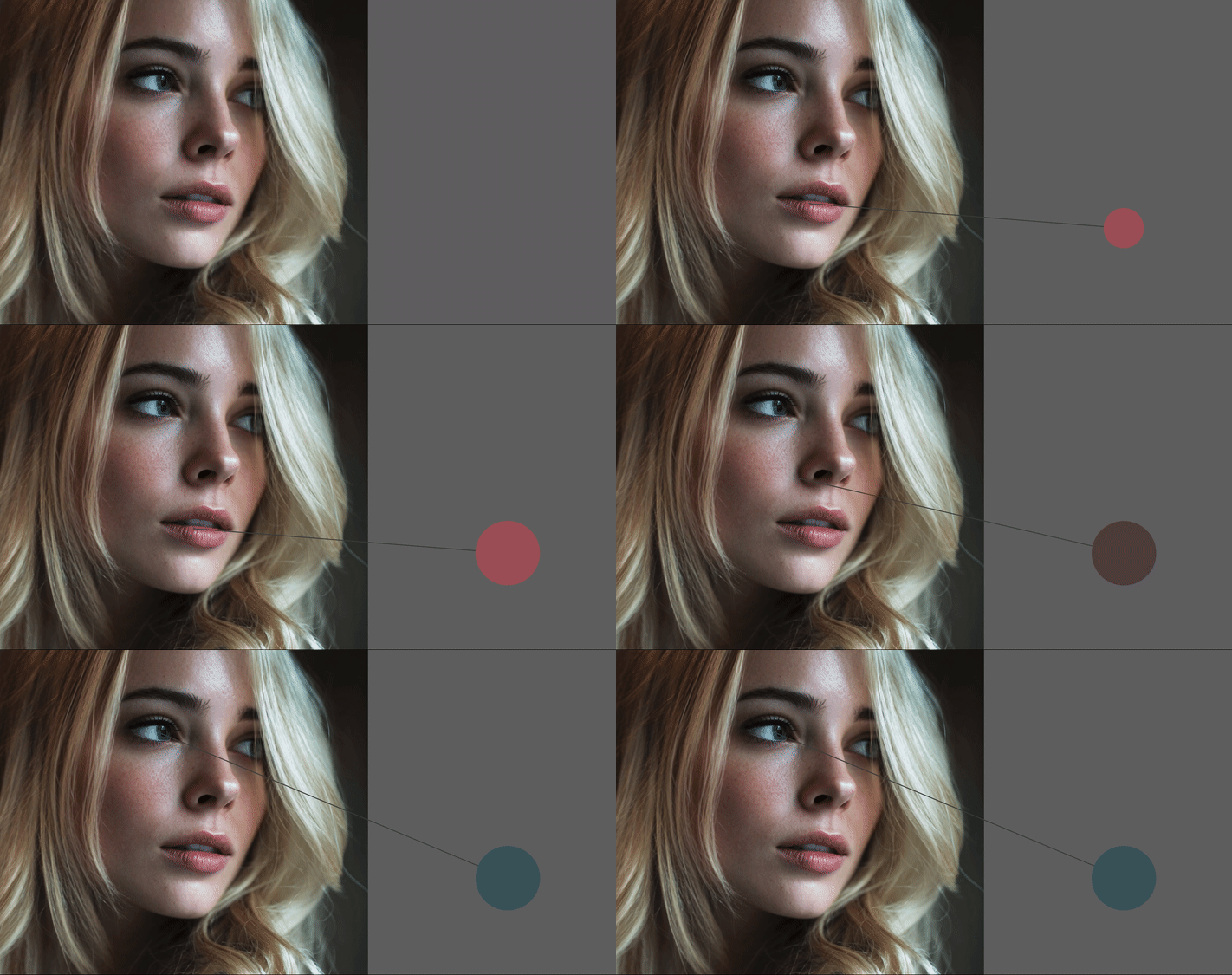
Color Swatch
Click in your reference image to create a larger swatch of that color on a neutral background.
Use the swatch to help match your color mix.
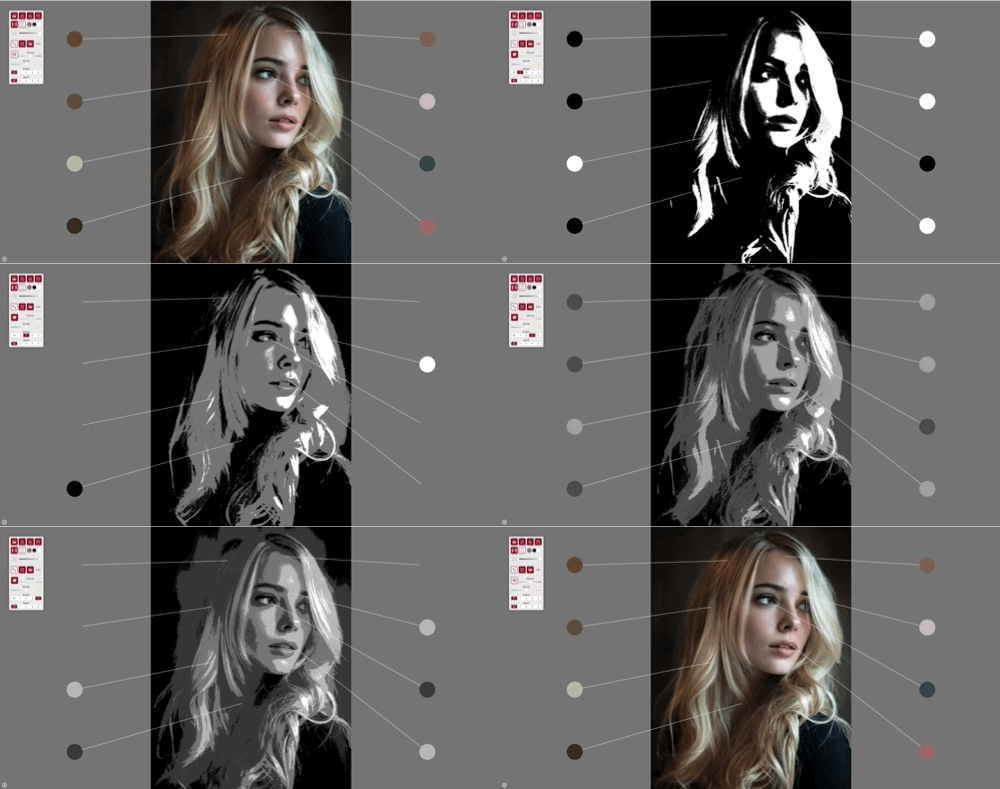
Big Shapes
Starting with an understanding of the big shapes in your reference is the key to success. This function gives 4 levels of simplification, allowing an instant assessment of the structure of your composition.
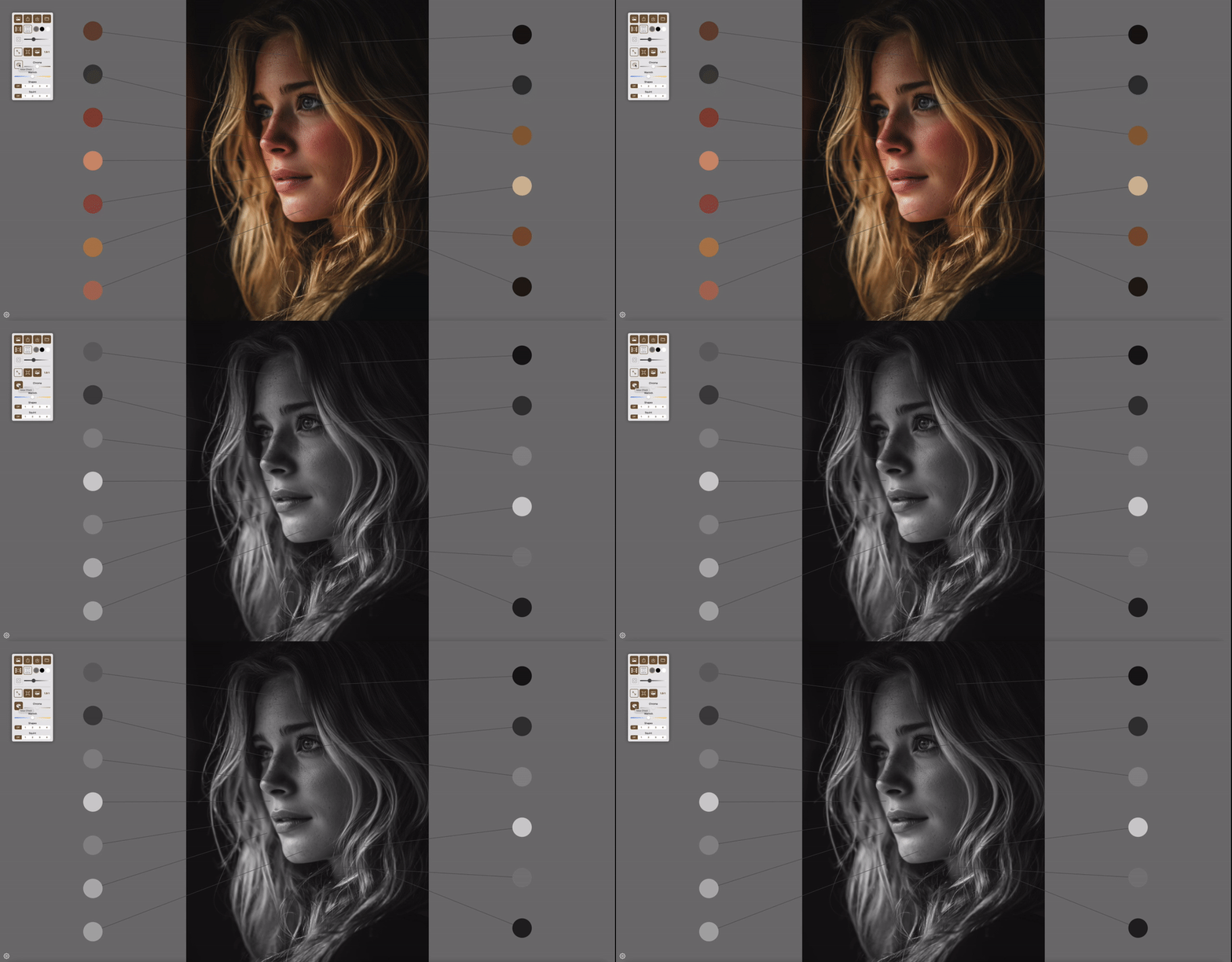
Value
The key to form, 3dimensionality and depth is value not color – this function allows you to quickly switch to a colorless view to assess how your values relate.
Squint
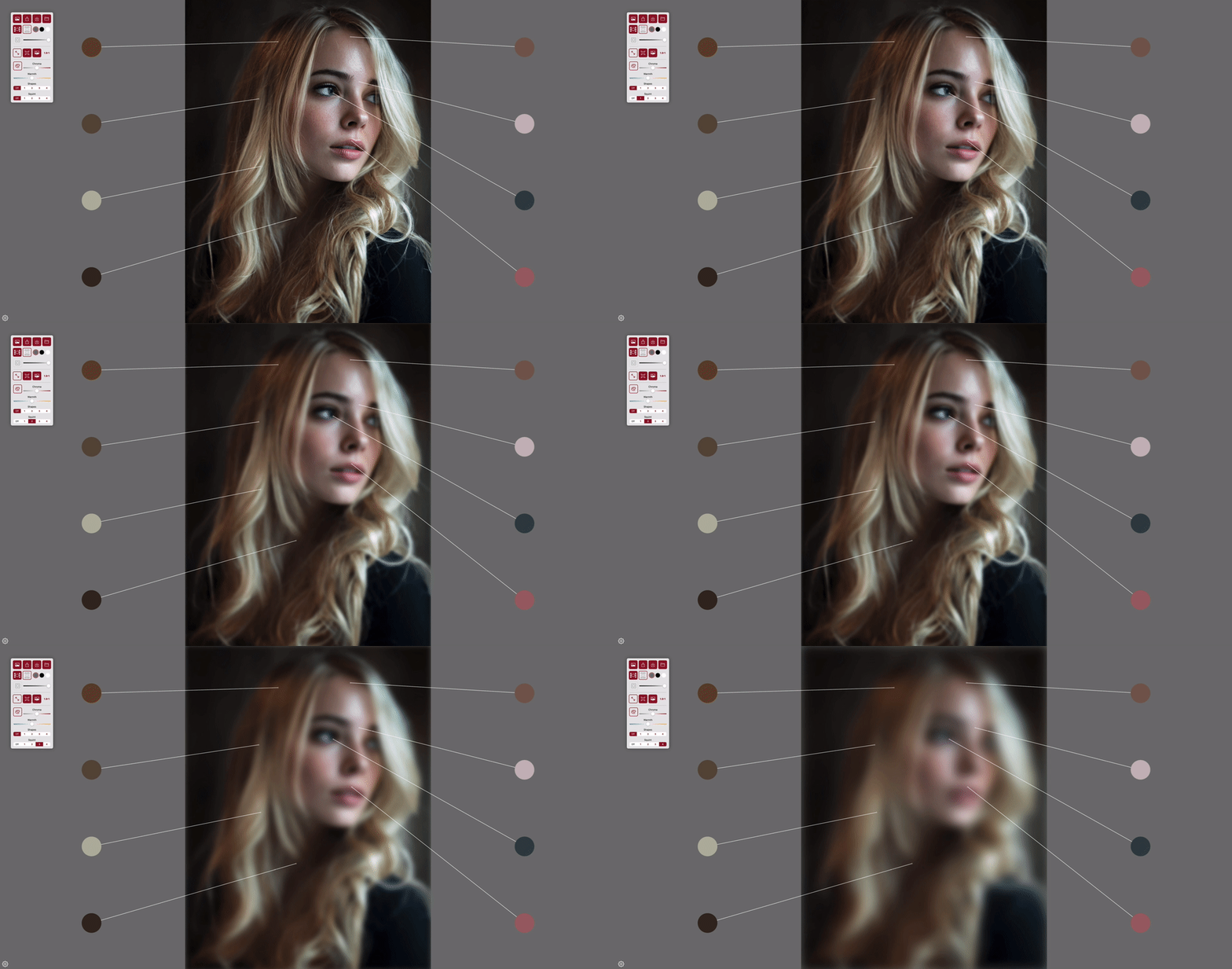
Focusing too soon on the detail can cause problems. Squinting at your subject can reduce detail and complexity. This is the digital equivalent, 4 levels of squint to help you focus on what matters.
Chroma / Warmth / Contrast
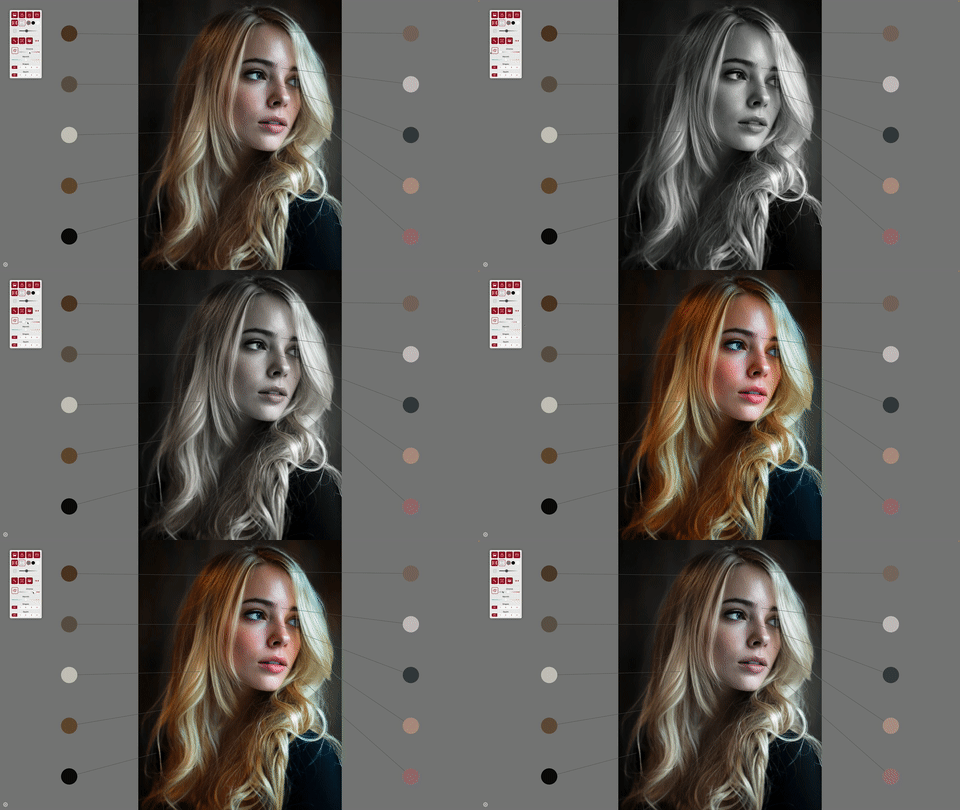
Adjust the chroma, warm or cool your image or adjust the contrast to produce a different feel. This functionality can be really useful for tweaking a less than perfect reference or maybe compensating for your screen’s shortcomings.
Grid
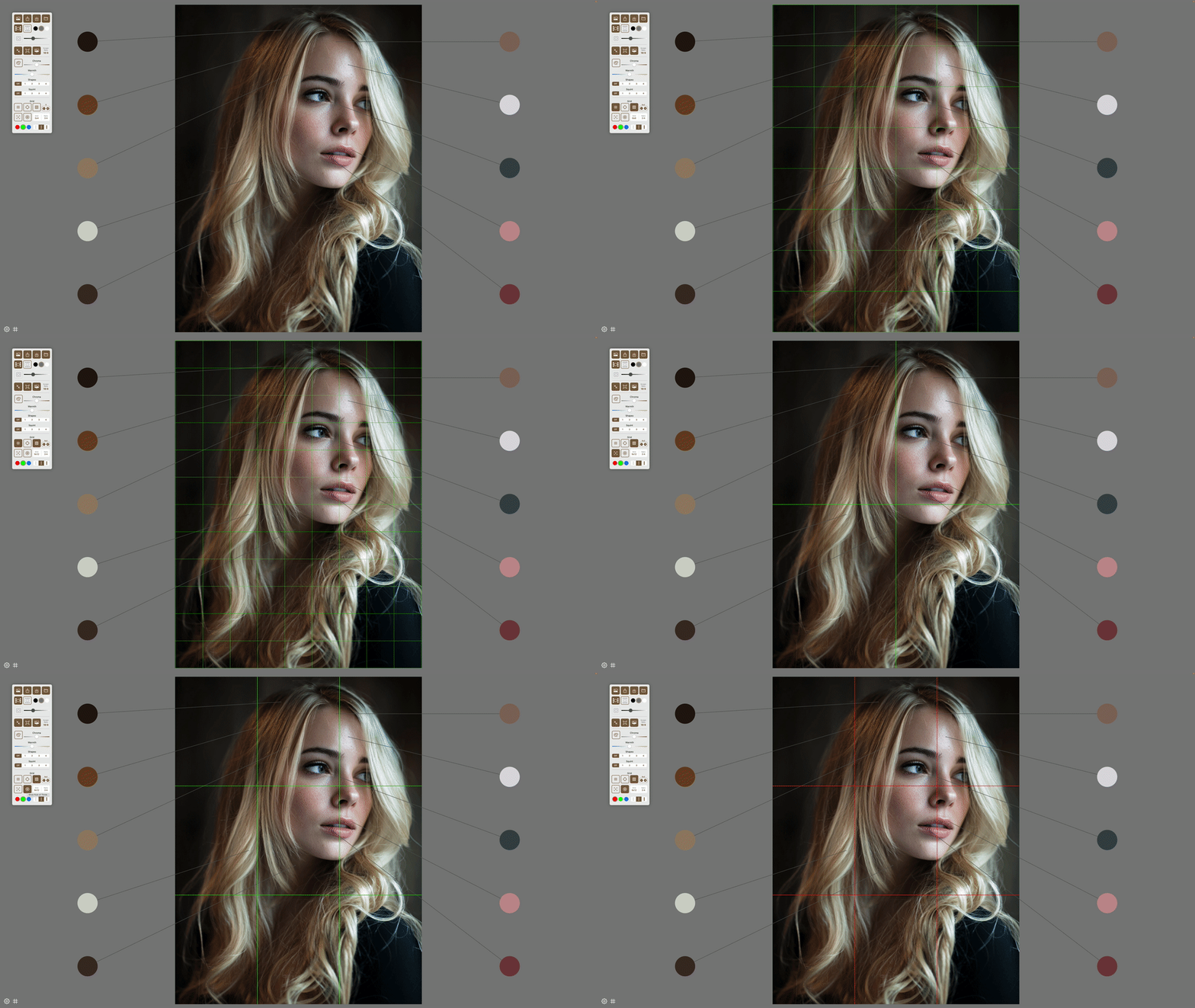
Using a grid is a great way to check proportions and placement. Reduce grid density as your skills increase or just use the centrelines or 3rds guides to keep on track.
All Features:
- Create up to 20 colour swatches from your reference
- Adjust the size of samples and swatches
- Choose a neutral background – black, grey or white
- Swatches can be set portrait or landscape
- Grid – Auto calculate reduces the guess work
- Adjust grid colour and line thickness
- Centrelines
- ‘Rule of Thirds’ lines
- Big Shapes – 4 levels
- Values toggle to remove all colour
- Squint – 4 levels
- Adjust Chroma
- Adjust Colour Temperature
- Adjust Contrast
- Zoom and Move
- Save projects for easy session recall
- Auto reload last state
- Image sympathetic control panel colour
- Swatch pointer lines colour adjust for max standout
- Dual Screen mode
- Adjust window aspect to match display
- Reset zoom
- Full screen
- Hide Control panel for less distraction
- Hide Grid or Swatches when control panel hidden
- Direct email to developers for any issues
- 14 Day fully functional trial!
Be the first to hear about new features and updates!
Thank you!
